...
In the Project section of the ribbon, users can access and manage projects
Open existing projects
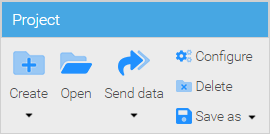
By clicking the dialog "Clicking Open" in the project menu, every user can see the projects for which the that user has the permission. The rest of the projects are not shown.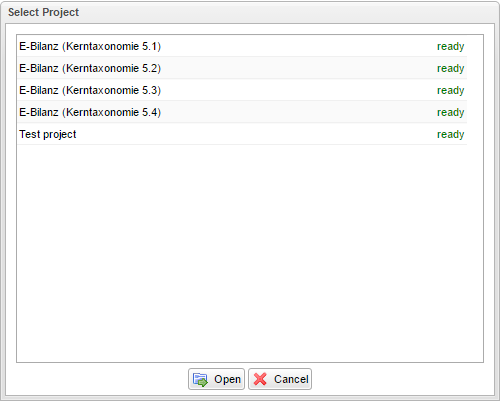 Project section of the ribbon\Project menu will bring up a dialog displaying the list of projects the currently logged in user has the permission to access.
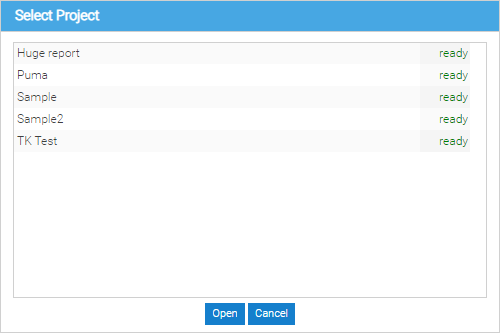
To open a project, the project in the list must be selected and then loaded by clicking the "Open" button.
Create new projects
Users who have permission to create new projects, can use the "New" entry in the Project menu to create new projects. When creating a project some preparation must be made in the configuration of the project. Therefore, please read the next section to learn about more about the project configuration.
...
double-click it or select it by left-clicking it and then clicking Open
Create a new project
If you belong to the Administrator or Project creator roles you can create new projects by clicking New in the Project section of the ribbon\Project menu
Configure a project
To complete the creation of a new project you need to configure it first. Once the project has been created, if you are an administrator or the project's creator, you can change its configuration by clicking Configure in the Project section of the ribbon\Project menu
The settings of the project configuration are made in several riders (or tabs) in the project configuration dialog.
...
Permissions
| Note |
|---|
| This tab and its contents are only visible to the Project administrators |
The access rights within a project report are managed relating to specific reporting functions:
- Admin: The user has permissions to all functions in a project
- Send data: running the function in the menu "Project" - "Send data"->

To give a user access rights, a project administrator has to add the user to the configuration list from left to right (by clicking “add”).
Subsequently, the project administrator can assign users individual permissions when the respective control boxes are activated.
The creator of a project is always automatically Project Administrator. The creator may establish other project administrators, if the control box "Admin" is activated for these users.
| Note |
|---|
A project administrator can’t evade any rights within a has all of the permissions within the project. To revoke a project administrator's rights, another project administrator of this for the same project, must remove the hook “admin”, deselect the Admin checkbox for the user and then save the project configuration. |
Delete a
Projectproject
To delete a project it must be opened.
Project à Delete. By choosing this entry, the project will be deleted.
Changing the project configuration
To subsequently change a project configuration, the dialog for the project configuration in the "Project" menu can be set with the entry "Configure"., open it first and then click Delete in the Project section of the ribbon\Project menu. As this is a destructive action that may lead to loss of data you will be prompted to confirm the deletion, and if you opt to confirm it, the project will be permanently removed,